
How to activate a v26 Floating License?
Internet connection is required to activate a ZSoil Floating License. Please check your connection before following the procedure below.
- Run the ZSoil Protection Manager (Search for ZSoil Protection Manager 2026 or it can be found under Program Files\ZSoil\Tools v2026\ZPrtMngr)
- Choose Floating/Node-locked Protection type
- Enter the Activation code and License ID which you have received from the ZSoil Team
- Press the button “Get protection key”
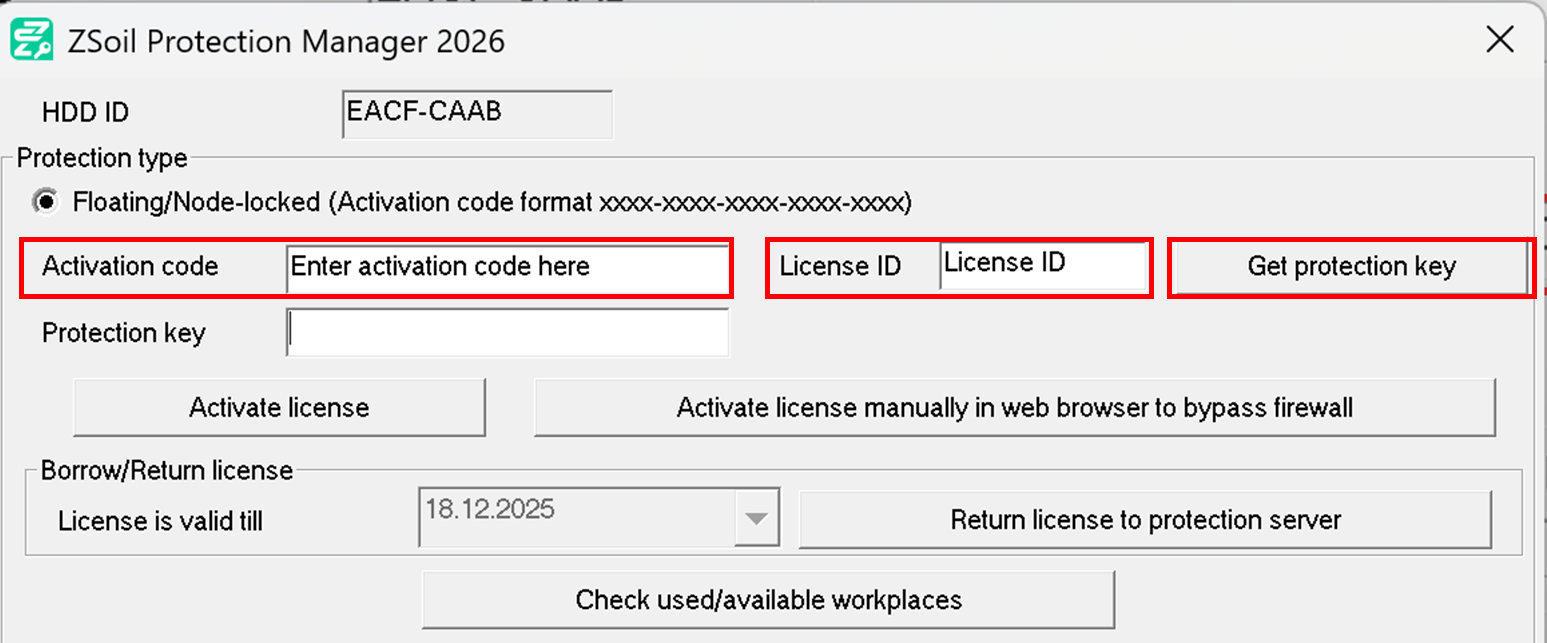
6. You will be redirected to https://zsoil.com/get-protection-key/ . Please fill in your User name and Email address and then press “Get Protection key” button. Note that the other fields should be pre-filled for you.

7. Your Protection key will be sent to the specified email address which must be linked to the license.
8. Enter Protection key into the Protection manager and press the button “Activate license”.
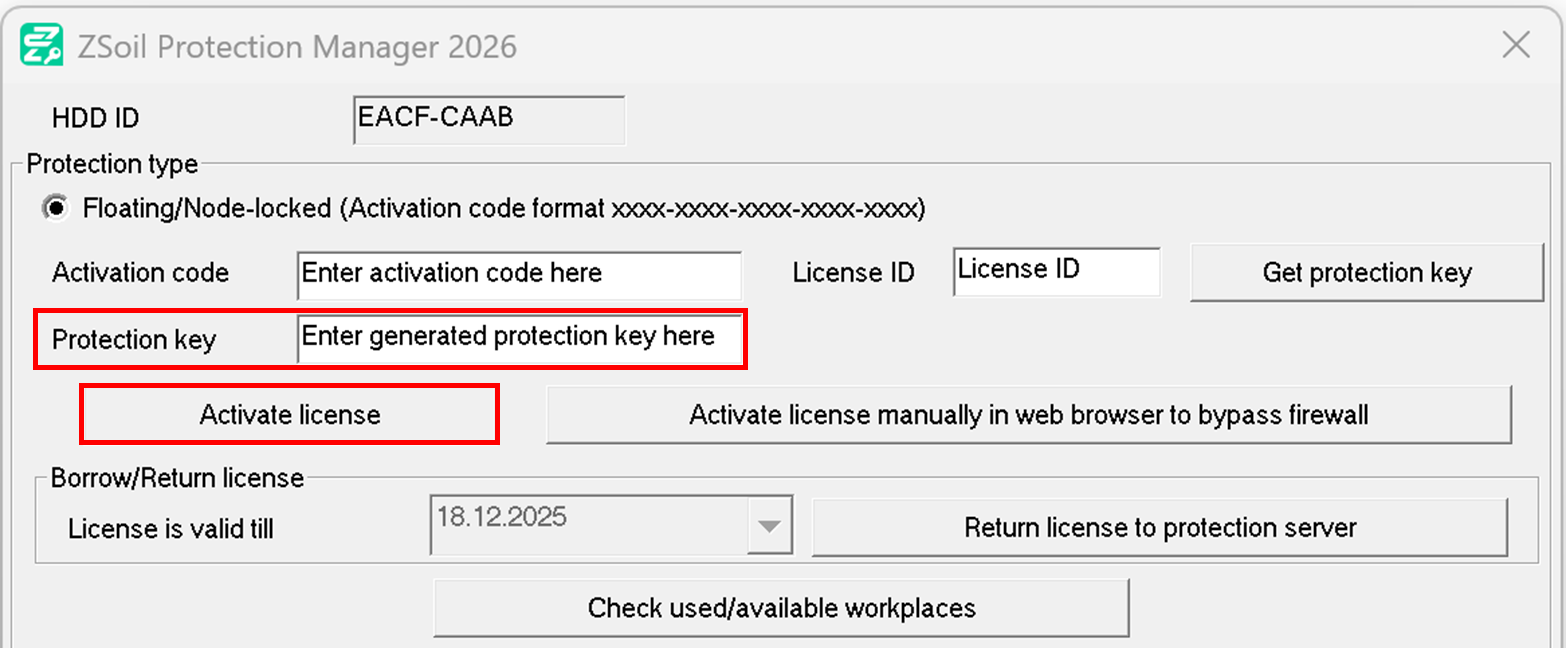
9. Wait for confirmation that the activation was successful.
10. Close ZSoil Protection Manager with the OK button
If you are having trouble activating a license, it may be because your antivirus/firewall settings are blocking the connection to the ZSoil Protection Server. First try the following points :
- HTTP protocol is used during activation, therefore port 80 should be opened for zsoil.com (IP 193.33.128.219) to allow connection to the ZSoil Protection Server.
- Try bypassing the firewall by using the second activation button “Activate license manually in web browser to bypass firewall”
If you are still having issues, please don’t hesitate to contact support@zsoil.com